Home > Services > AI integration > AI Readiness & Governance Assessment
AI Readiness & Governance Assessment
Microsoft Copilot Business sees everything. Is your data ready for that?
Most Microsoft 365 environments aren't ready for AI.
Microsoft 365 Copilot Business isn't like a standard chatbot. It connects to your actual business data which means your setup matters.
Most businesses that have heard of Copilot assume it works like ChatGPT or the Copilot Chat feature already available in Microsoft 365, i.e. a general AI assistant you can ask questions and get answers from, but one that has no connection to your business systems or data.
Microsoft 365 Copilot Business is fundamentally different.
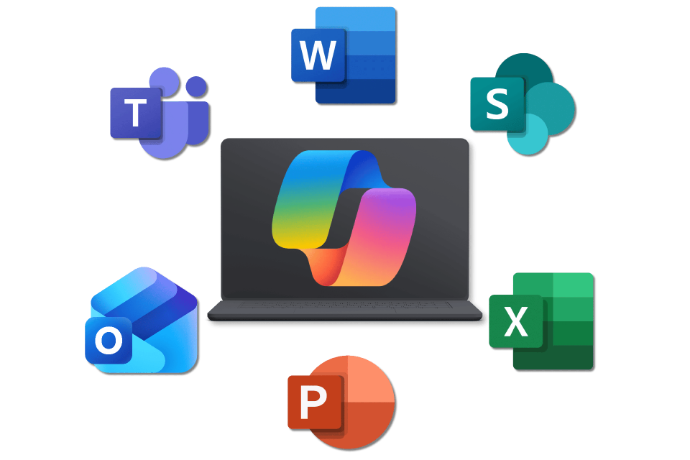
It is embedded directly into Outlook, Teams, Word, Excel and PowerPoint. It reads your emails, your documents, your meeting transcripts and your shared files saved in your OneDrive or SharePoint, and uses these information to help your team work faster and smarter. That is what makes it genuinely powerful.
But it also means that what Copilot can access and what it does with that access depends entirely on how well your Microsoft 365 environment is set up.
Disorganised data returns unhelpful results. Misconfigured permissions mean Copilot may surface confidential information to people who shouldn't see it. Inactive accounts and poor access controls create security risks that AI will expose rather than hide.
The AI Readiness & Governance Assessment addresses all of this before it becomes a problem. So when you enable Copilot Business, it works safely and effectively from day one.
What is included in the assessment?
A thorough review of everything that matters before you enable Microsoft 365 Copilot Business.
Microsoft 365 licence utilisation
Looking at your current licences, active users and enabled features to identify waste, flag gaps and surface tools you are already entitled to but haven't activated.
Data structure and classification
Assessing how your data is organised across SharePoint, OneDrive and Teams. Whether it is labelled and governed in a way that makes Copilot useful rather than unpredictable.
User permissions and access controls
Checking who can access what across your environment, identify over-permissioned accounts and flag access that should have been removed when people left the business.
Identity and security settings
Reviewing your MFA configuration and access policies setup to make sure your environment meets baseline security requirements before AI is introduced.
Copilot licence and configuration readiness
Assessing whether your current Microsoft 365 plan supports Copilot, what additional licensing may be required, and whether your technical configuration is ready.
What you will get?
A plain-English report that tells you exactly where you stand.
At the end of the assessment you receive a clear, jargon-free readiness report covering:
- A traffic-light readiness score across each key area.
- A prioritised action plan: what to fix, in what order and why it matters.
- An honest recommendation on whether Copilot is ready to switch on now or what needs to happen first.
- A clear view of any immediate security risks that should be addressed regardless of your AI plans.
No technical jargon. Just a practical document you can act on or present to your board or partners with confidence.
How it works?
Step 1: Book a consultation
We spend 30 minutes understanding your business, your Microsoft 365 setup and what is prompting you to look at AI now. No obligation, no sales pitch.
Step 2: Assessment
Our team reviews your Microsoft 365 environment in detail. We work quietly in the background with minimal disruption to your team.
Step 3: Report
You receive your plain-English readiness report with a full debrief from our team. We walk you through the findings and answer every question.
Step 4: Decisions
You decide. Whether you act on the recommendations yourself, engage us to help or simply take the report away and revisit it later. The decision is entirely yours.
Why choose Netway?
Experienced and reliable
25+ years helping Australian businesses get more from their technology, the enterprise complexity or price tag.
Microsoft 365 specialists
With hands-on experience across gaming & hospitality, engineering, finance and education sector.
Honest feedback
We tell you what you need, not just what you could buy. Even when that means telling you to wait.
We speak your language
Plain-English advice, senior-level expertise and a genuine commitment to outcomes over outputs.
Always on your side
We're not here to sell you AI for the sake of it. We're here to make sure that if you invest in it, it delivers.
Other stages
Already know your Microsoft 365 environment is ready? We can help with that too.

Stage 2
M365 Copilot Jumpstart
Get your team using Copilot properly from day one. With role-based training and practical prompt writing exercises.

Stage 3
Copilot Studio Pilot
Go beyond general productivity and learn to build a custom AI agent tailored to a specific process in your business.
FAQ
It is a structured review of your Microsoft 365 environment that tells you whether your business is ready to enable Microsoft 365 Copilot Business safely and effectively. We look at how your data is organised, who has access to what, whether your security settings are properly configured and whether your licences are set up correctly. You receive a plain-English report with a readiness score and a prioritised action plan.
Copilot Business works directly within your Microsoft 365 environment, i.e. your emails, documents, meetings and files. That makes it fundamentally different from a standard chatbot. If your permissions aren't configured correctly, your data isn't properly organised, or old staff accounts are still active, Copilot Business may return poor results or, more seriously, surface confidential information to people who shouldn't have access to it. The assessment closes those gaps before they become a problem.
General IT support keeps your systems running. This assessment is specifically focused on whether your Microsoft 365 environment is structured and secured in a way that makes AI safe and effective to introduce. Most IT providers haven't assessed their clients' environments through this lens, it is a relatively new requirement that has emerged alongside the rollout of Copilot Business.
Minimal. Our team works within your Microsoft 365 environment in the background. We don't require extended access to your staff's time. Typically it is a brief initial conversation and a walkthrough of findings at the end.
That is exactly what it's designed to do. The report prioritises findings by urgency so you know what needs to be addressed immediately and what can wait. Some issues are quick fixes. Others may require more considered remediation. Either way, you will have a clear picture and a practical path forward, not a list of problems without context.
Not necessarily. Some findings will be prerequisites for enabling Copilot Business safely. Others will be recommendations that improve performance or reduce risk over time but won't block deployment. We will be clear about which is which in the report.
You receive your Readiness Report and debrief. From there, the decision is entirely yours. You can act on the recommendations internally, engage Netway to help address them or take the report away and revisit it when the timing is right. There is no obligation to proceed with any further engagement.
Typically one to two weeks from engagement to delivery of your Readiness Report, depending on the complexity of your Microsoft 365 environment.
Ready to find out what AI can do for your business?
Let our experts help you find out.