Home > Services > AI integration
AI integration
If you are using Microsoft 365 Copilot across your business, there is a good chance your team is only scratching the surface and missing the version that actually makes a real difference.
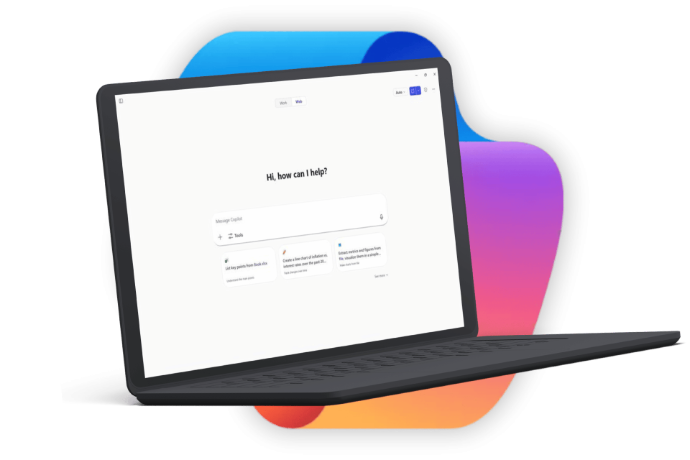
Your team is losing hours every week to work that AI could handle.
If your team has used Copilot inside Microsoft 365, chances are they have been using Copilot Chat, a general-purpose AI tool that can answer questions and generate text but not connected to your business.
It is a capable chatbot but it is not the tool that saves your business hours every week. That is Microsoft 365 Copilot Business.
Copilot Business is embedded directly into the Microsoft 365 apps your team already uses every day, e.g. Outlook, Teams, Word, Excel and PowerPoint. And it draws on actual business data from your OneDrive and SharePoint securely to provide pull insights and generate reports from your real numbers.
The difference isn't subtle. One is a chatbot. The other is an AI assistant that knows your business.
Most businesses are either unaware Copilot Business exists, unsure whether their environment is ready for it or paying for it already without getting real value from it.
We can help you fix all three.
How Netway can help you

Stage 1
AI Readiness & Governance
Before you invest in Copilot Business, you need to know if your business is ready for it. This assessment tells you exactly that.

Stage 2
Copilot Business Jumpstart
Hands-on enablement programme that teaches your people how to use M365 Copilot Business properly and effectively.

Stage 3
Copilot Studio Pilot
Advanced programme guiding you to build a custom AI agent that automates or enhances a specific business process.

Simple, straightforward, no surprises
- Book a free consultation: We spend 30 minutes understanding your business, your Microsoft 365 setup and where you want to get to. No obligation, no sales pitch.
- We assess and recommend: Based on your situation, we recommend the right starting point and walk you through exactly what is involved.
- We get to work: We run the engagement, keep you informed in plain English throughout and deliver a clear outcome. Not a report that sits in a drawer.
- You move forward with confidence: Whether that is switching on Copilot, training your team or deploying a custom AI agent, you will know it is been done properly.
Why Netway?
Full transparency
We are not here to sell you AI for the sake of it. We are here to help you figure out whether it makes sense for your business.
Experienced and reliable
Operating since 1999, we work with businesses in all industries and sizes across Australia helping them get more from their technology.
Secure and reliable
We have a comprehensive IT strategy and you can count on us to provide the best service and advice.
Multi-location coverage
We have offices across NSW, VIC, QLD and WA. Enjoy faster help and efficient support, onsite or remote.
Certified technicians
Our people are trained with certifications in Microsoft 365 to provide you comprehensive services.
FAQ
Microsoft 365 Copilot is an AI assistant embedded directly into Microsoft apps like Word, Excel, Outlook, Teams, PowerPoint and OneDrive. It uses your organisation’s data (emails, files, meetings, chats) together with large language models to help users draft content, analyse data, summarise information and automate everyday work – all within the tools they already use.
Copilot works inside your Microsoft 365 tenant and only accesses data you already have permission to see.
Unlike public AI tools:
- It respects Microsoft security, privacy and compliance controls.
- It understands your organisation’s context.
- It integrates directly into Microsoft apps, not a separate website.
In short: Copilot is enterprise‑grade AI, not a consumer chatbot.
Copilot is currently available in:
- Word – drafting, rewriting, summarising documents.
- Excel – data analysis, formulas, insights, charts.
- Outlook – email drafting, summarising, action extraction.
- Teams – meeting summaries, action items, chat recap.
- PowerPoint – slide creation from prompts or documents.
- OneDrive / SharePoint – file summaries and insights.
Capabilities vary slightly by app and are continuously improving.
No. Copilot only accesses data that the user already has permission to see under Microsoft 365 security and identity rules.
This means:
- It cannot see data outside your tenant.
- It cannot bypass permissions.
- It respects existing SharePoint, OneDrive, Teams and Exchange access controls.
Copilot does not create new security risks. It operates within your current governance model.
No. Customer data:
- Is not used to train public AI models.
- Is not shared between tenants.
- Remains within Microsoft’s secure cloud environment.
Microsoft states that Copilot follows the same enterprise privacy, security, and compliance standards as Microsoft 365, including GDPR and ISO certifications.
To use Microsoft 365 Copilot, users must have:
- An eligible Microsoft 365 base licence (e.g. Business Premium, E3, E5).
- A Microsoft 365 Copilot add‑on licence (per user, per month).
Copilot is licensed per user, not per organisation, so it can be rolled out selectively.
Common benefits organisations see include:
- Faster document and email creation.
- Reduced meeting follow‑up time.
- Better use of existing data.
- Less manual reporting and summaring.
- Improved focus on higher‑value work.
Many users report time savings of 30 to 60 minutes per day once Copilot is used consistently .
Yes. While Copilot is easy to start using, training significantly increases value.
Best practice includes:
- Basic Copilot awareness training.
- App‑specific use cases (Word, Excel, Teams, Outlook).
- Prompting best practices.
- Data and governance guidance.
Organisations that provide structured onboarding see much higher adoption and ROI.
Ready to find out what AI can do for your business?
Let our experts help you find out.